

Manually Expire or Activate DemoBoards
Try this out in an Interactive Product Tour
The Manual DemoBoard Expiration feature allows your organization's users to expire or activate DemoBoards on demand. Follow these steps to expire a DemoBoard:
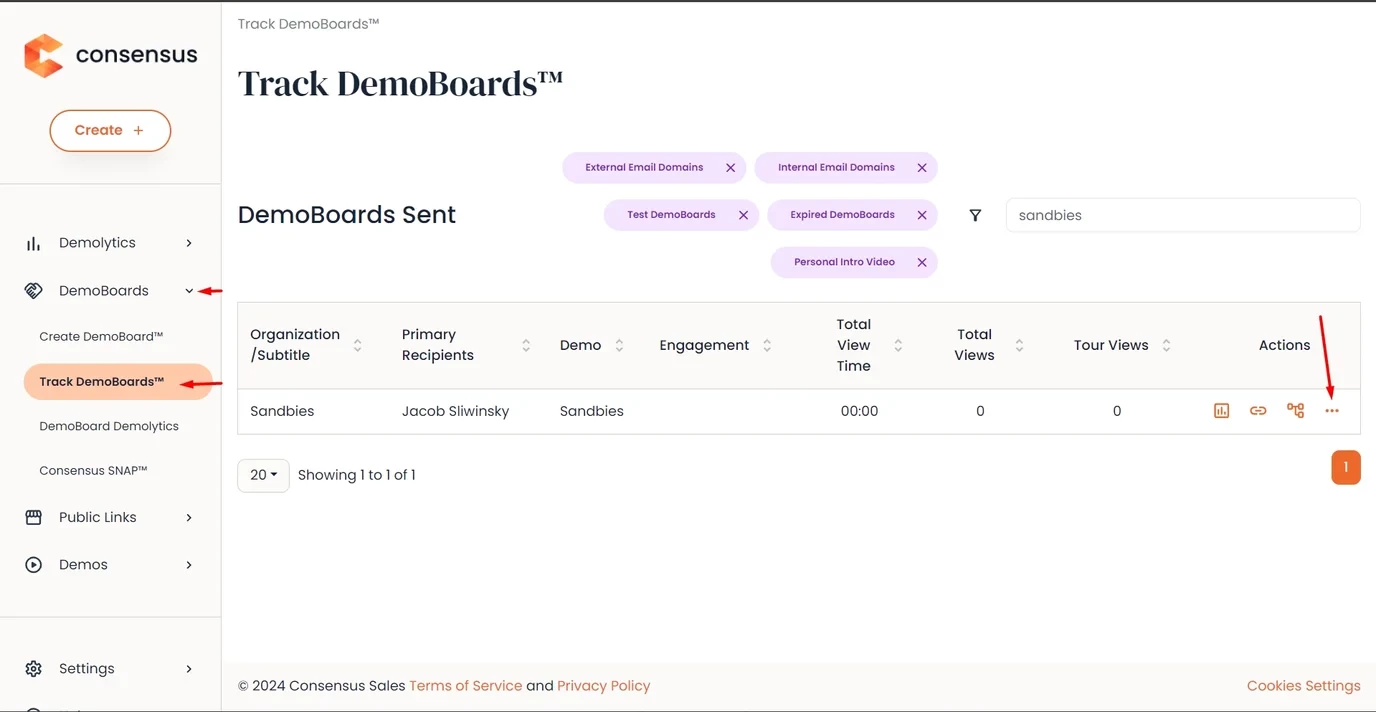
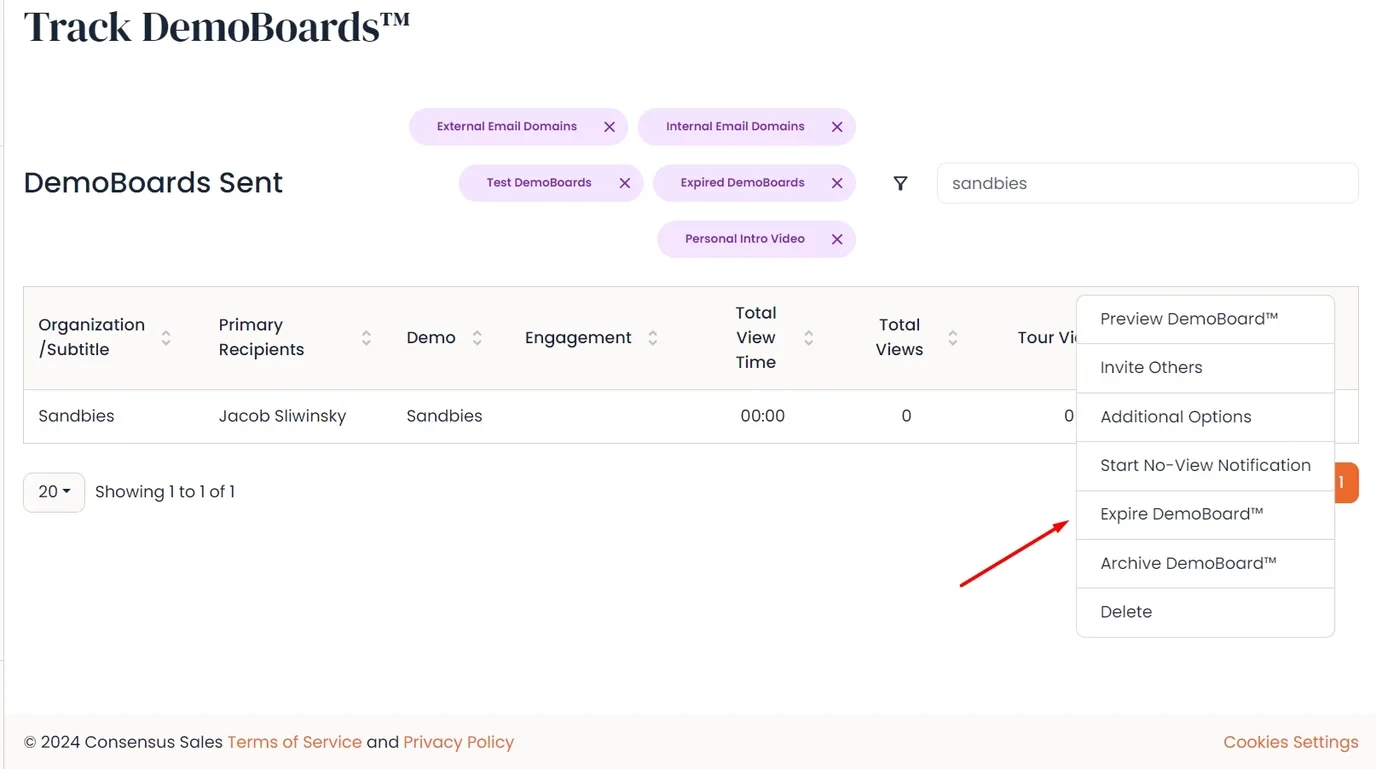
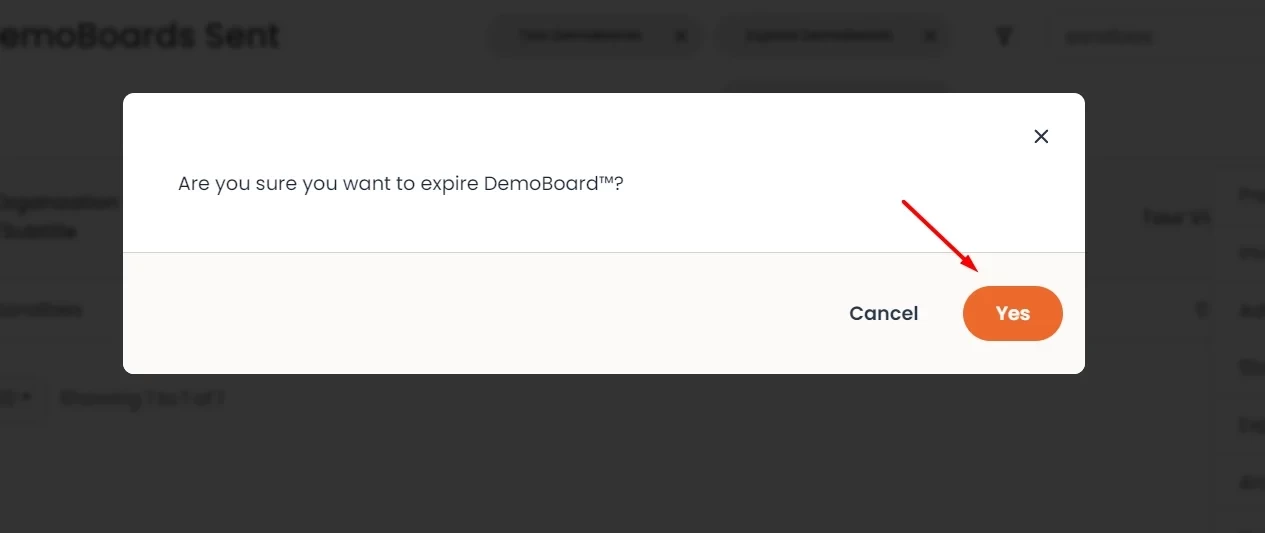
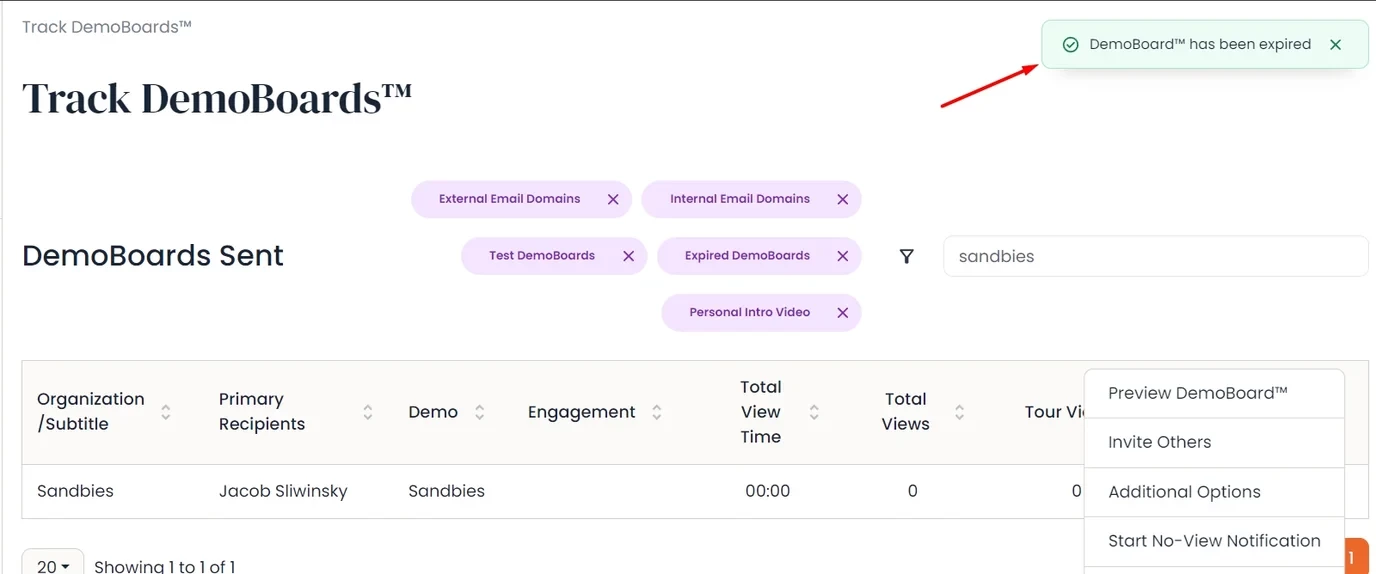
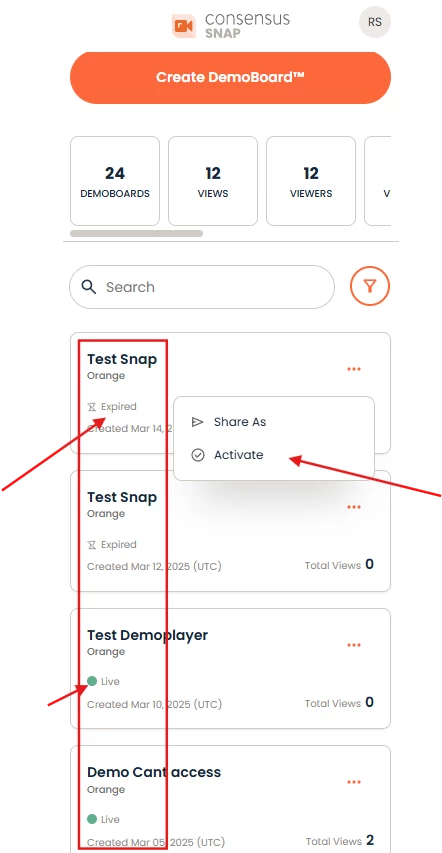
In Track DemoBoards, we have represented DemoBoards that are expired with the 'Hourglass' icon:
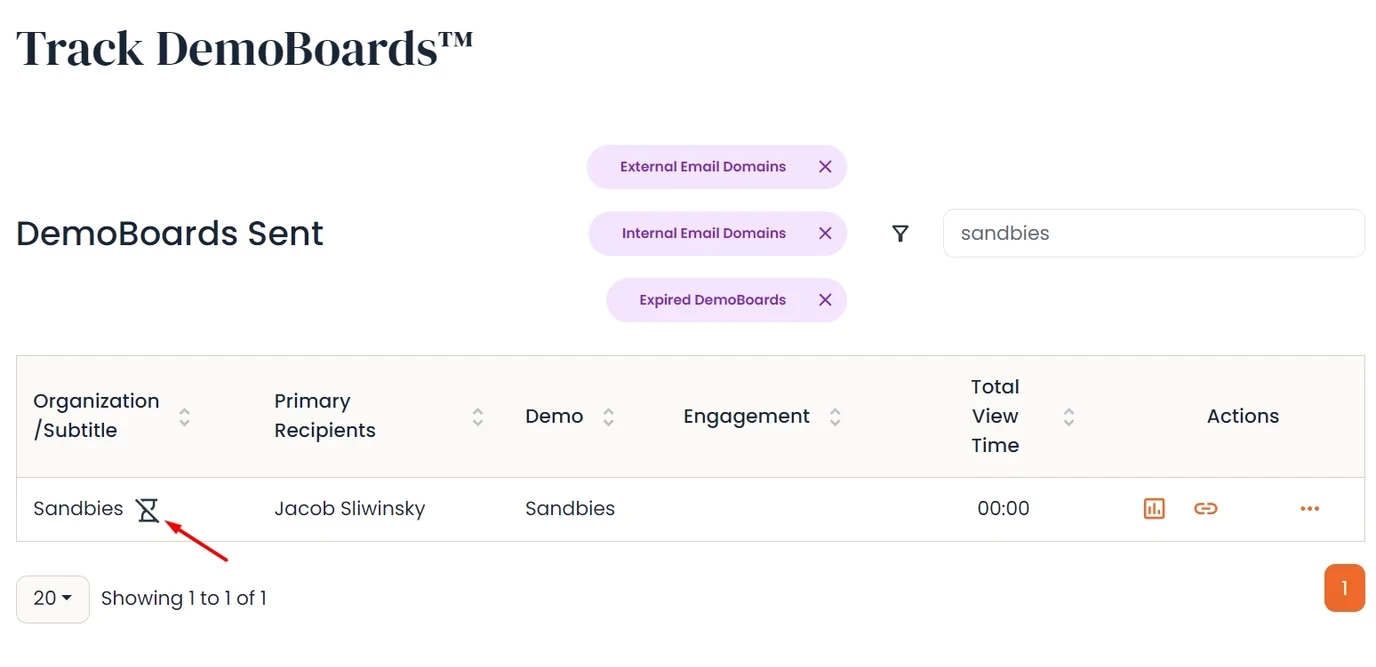
Follow this step to activate a DemoBoard:
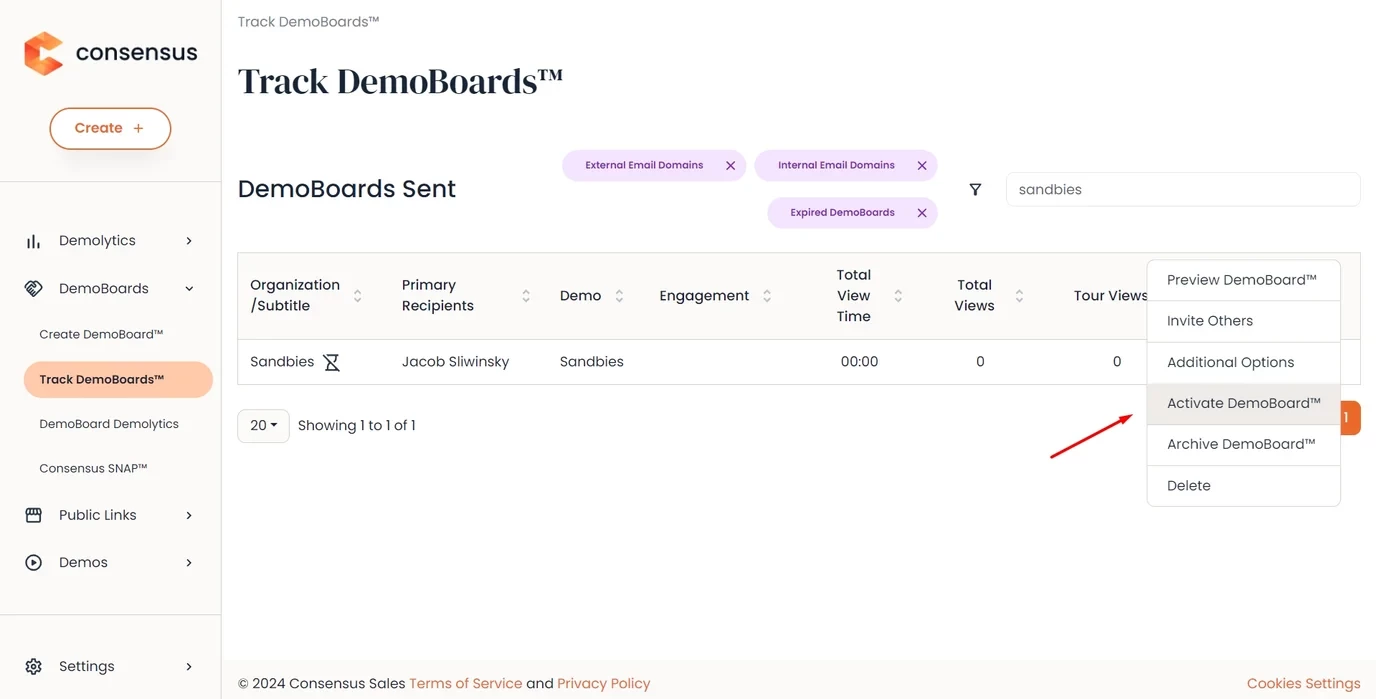
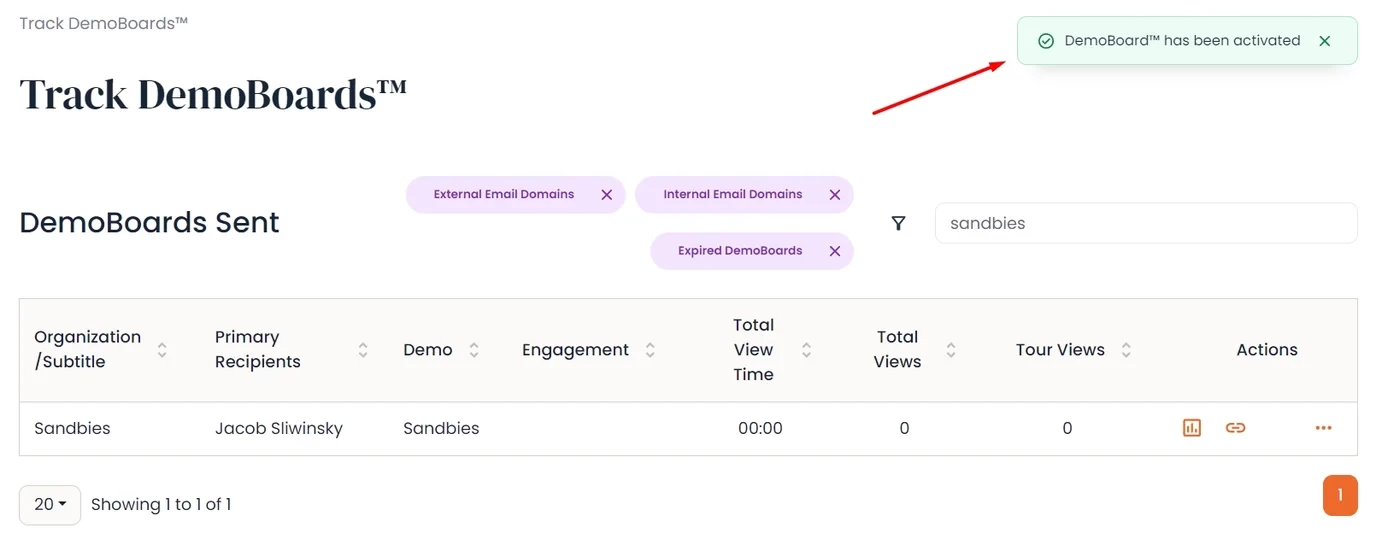
You will now see that the expired icon is gone and the DemoBoard is active again.
DemoBoard Expiration by Days
The DemoBoard Expiration by Days feature allows your organization admins to set a default on the org. level for all of your users when it comes to their DemoBoards.

If you turn this feature 'ON' it will automatically set the default for DemoBoard expiration for all of your users to the specified number of days that you choose.
(PRO-Tip) Admins - If you turn this setting 'OFF', your sales users will still be able to choose the date of expiration for that specific DemoBoard, so for time-sensitive topics, leave this setting off for the whole org. might work best!
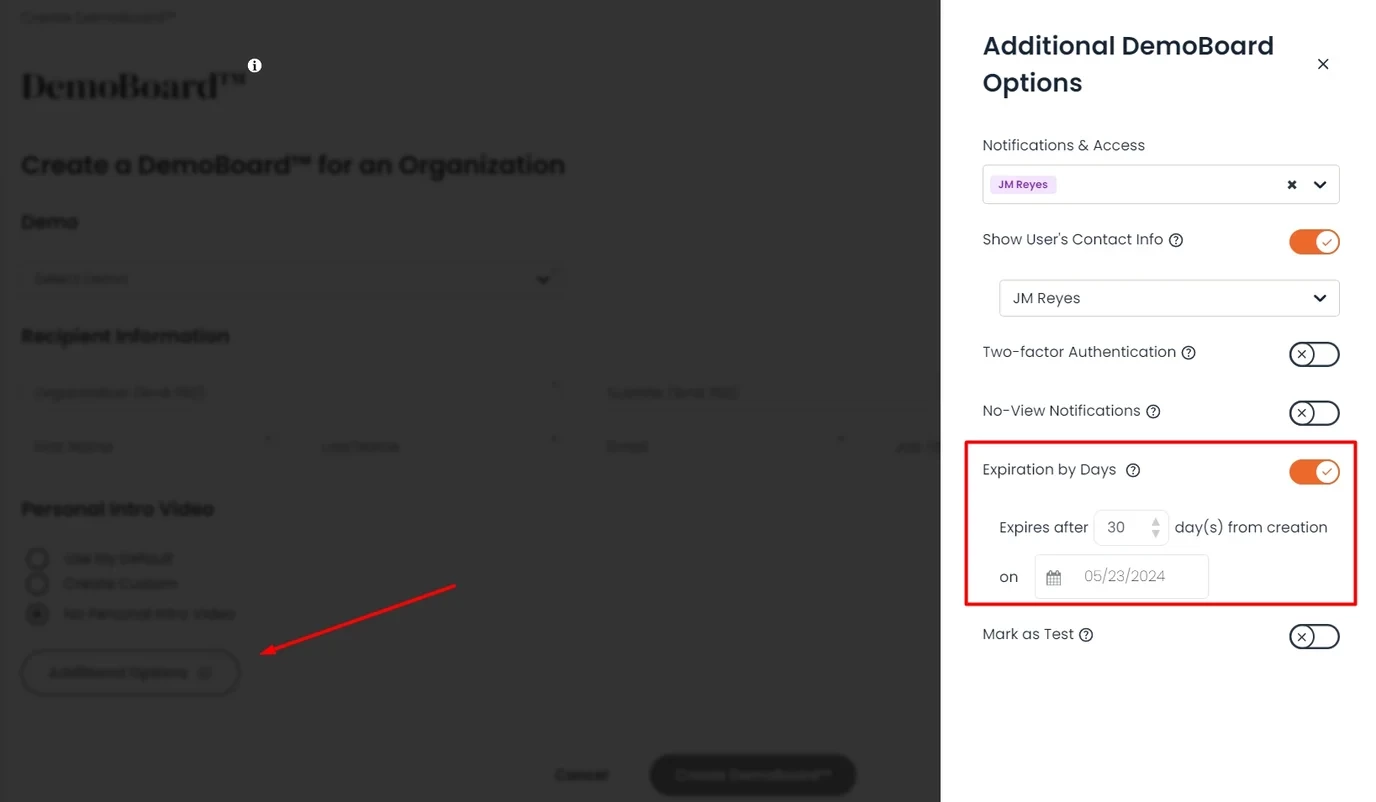
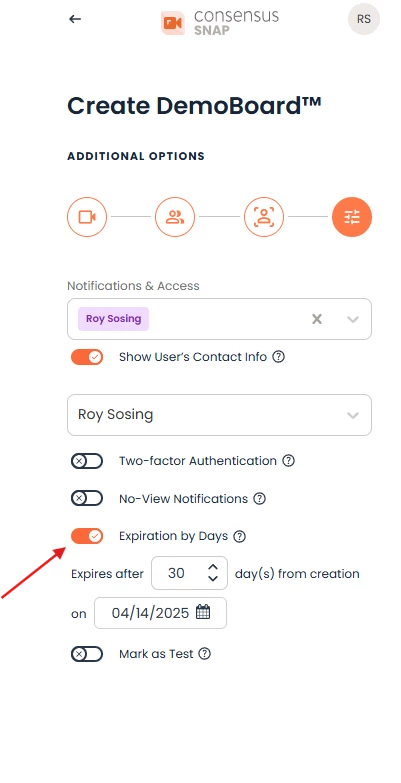
Users can access 'Additional Options' and set their desired date of expiration on the individual DemoBoard level.
We have also pushed this feature into all of our integrations, including SNAP, Outlook and Outreach, where it will look like this:
Using SNAP, you can easily reactivate DemoBoards by selecting the options available under the three dots feature. Expired DemoBoards are clearly marked with an 'Expired' icon for your convenience.
If you have any questions, please feel free to reach out to your CSM or our awesome Support Team via live chat or email
Thanks for reading, and have an awesome day!