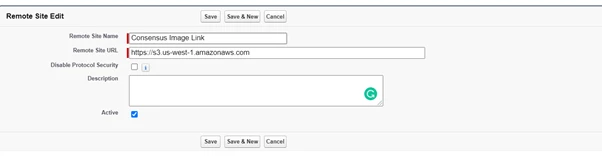
Create a remote site to allow for custom DemoBoard Images
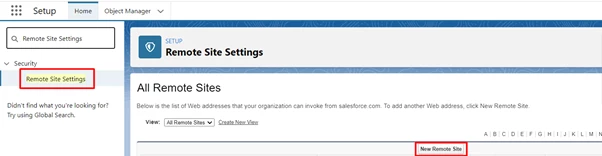
1)SFDC Setup >> Quick Find Box >> ‘Remote Site Settings’ >> New Remote Site:
2) Fill the field Remote Site URL with this value - https://s3.us-west-1.amazonaws.com
3)Make it active and click the Save button.