

In this article, we will walk through the steps for creating an email template that contains the mail merge demo link for leads in Zoho.
PREREQUISITE
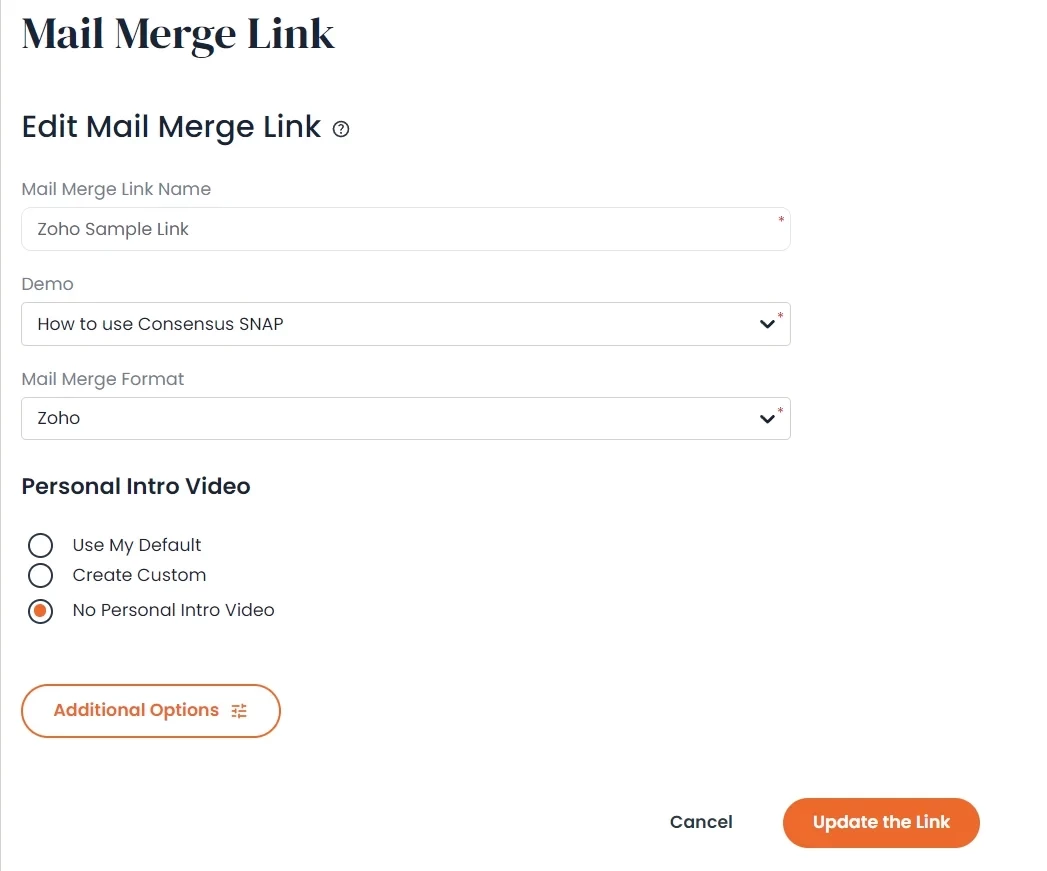
Read our article on creating a mail merge demo link and use these settings for the mail merge format:
First Name: ${Leads.First Name}Last Name: ${Leads.Last Name}
Email Address: ${Leads.Email}
Company: ${Leads.Company}
STEP 1: CREATE AN EMAIL TEMPLATE
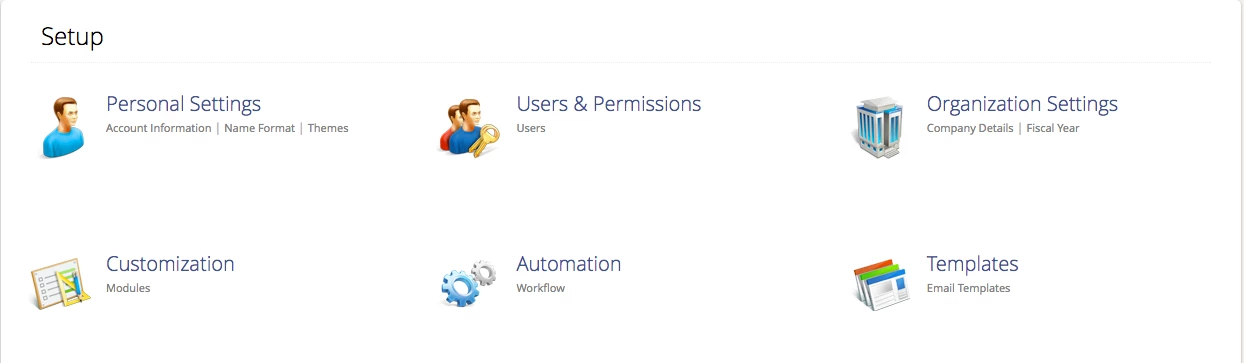
1. Log in to your Zoho instance and go to Setup

2. Now go to Templates > Email Templates
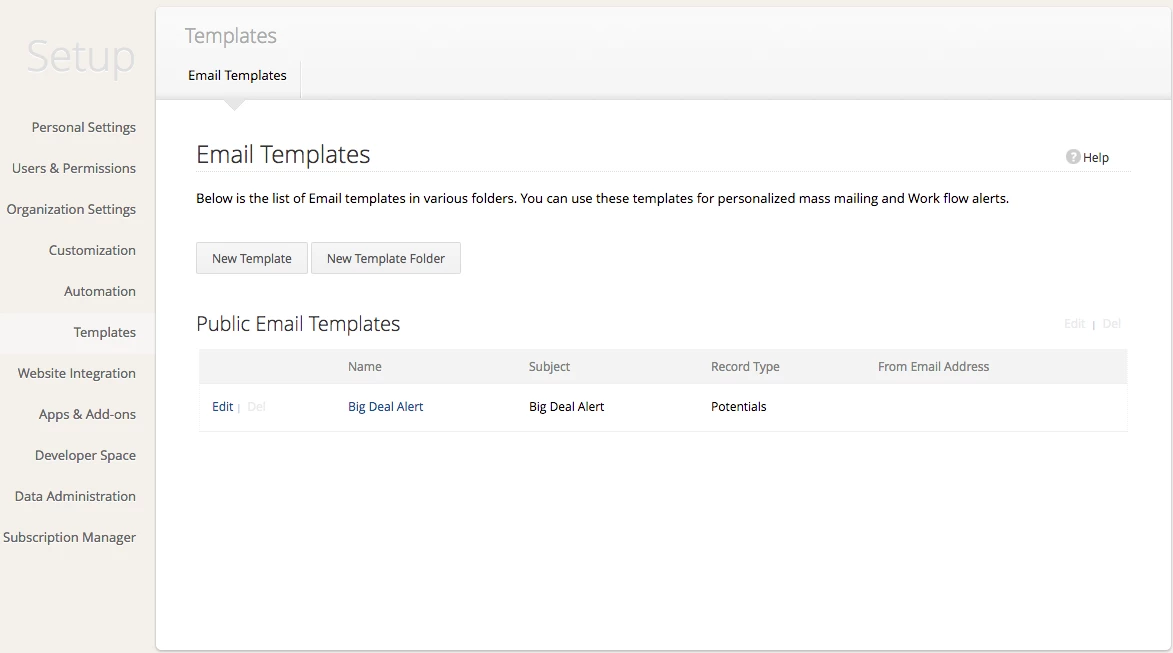
3. Click on the New Template button
4. Fill out the required fields and create your email template
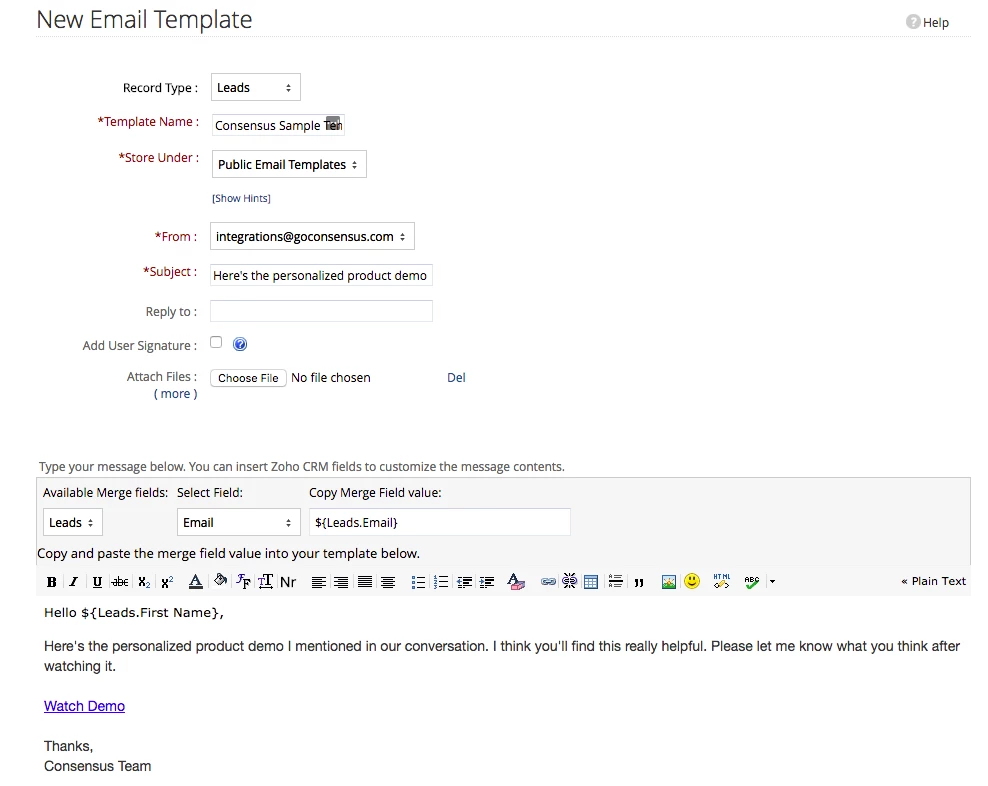
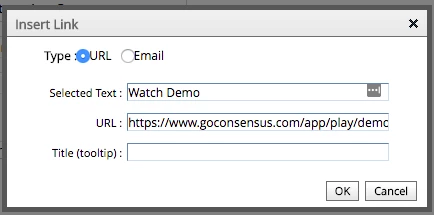
5. To add the demo link click on the button and enter the mail merge demo link you created earlier
Advanced Option - HTML Button
1. Fill out the required fields and create your email template
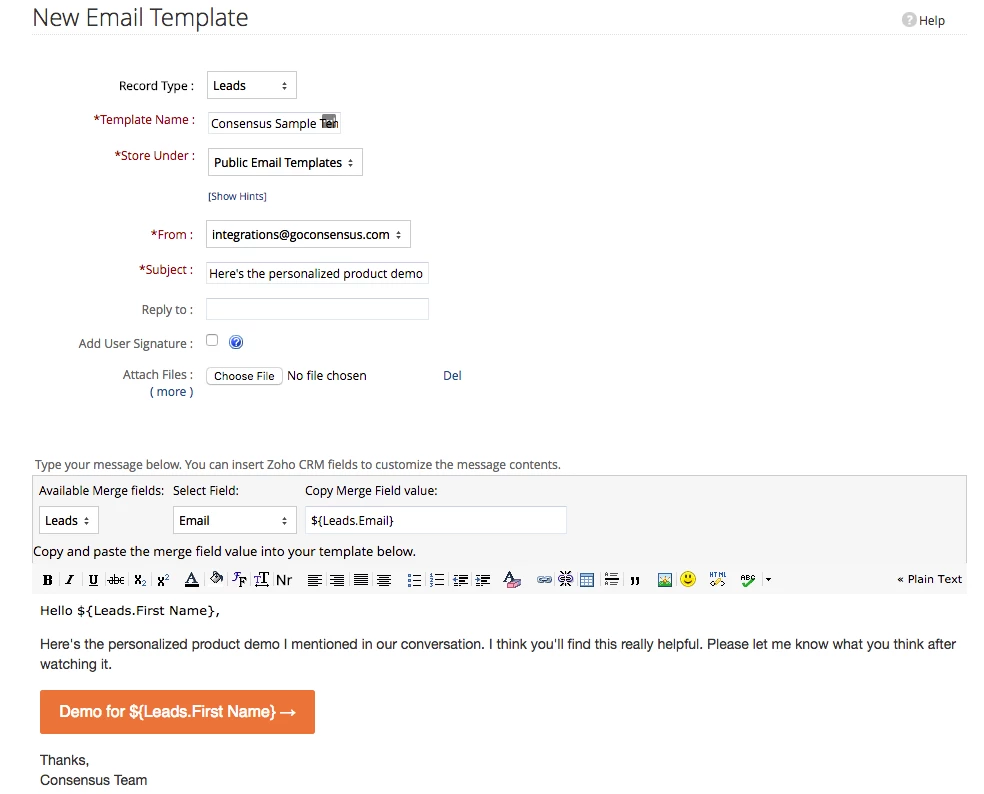
2. Copy the html code below
<table width="100%" border="0" cellspacing="0" cellpadding="0"> <tbody> <tr> <td> <table border="0" cellspacing="0" cellpadding="0"> <tbody> <tr> <td align="center" style="border-radius: 3px;" bgcolor="#e9703e"> <a href="LINK GOES HERE" target="_blank" style="font-size: 16px;font-family: Helvetica, Arial, sans-serif;color: rgb(255,255,255);text-decoration: none;text-decoration: none;border-radius: 3px;padding: 12px 18px;border: 1px solid rgb(233,112,62);display: inline-block;">Watch Demo →</a> </td> </tr> </tbody> </table> </td> </tr> </tbody></table>
3. Click on the button and paste the html code you just copied. Replace the text LINK GOES HERE with the link you created earlier
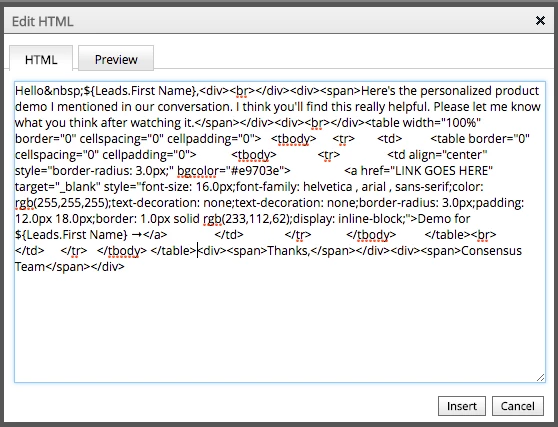
All done!! You now should have an email template with the mail merge demo link setup in Zoho.