

Starting February 2, 2026, Consensus will no longer support the creation of Advanced Branching Demos. The ability to view, edit, and send existing Advanced Branching Demos will remain.
The Discovery Demo Builder allows you to create highly personalized and intelligent demo experiences for your viewers. You can easily replicate the functionality of an Advanced Branching Demo within the Discovery Demo Builder while gaining access to more powerful and flexible features.
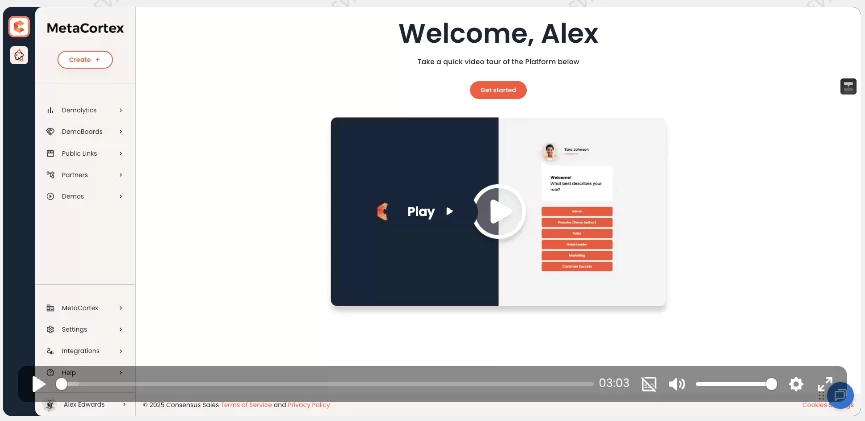
Watch the Demo
Prerequisites
Before you begin, ensure you have the following ready:
-
Your target demos (e.g., Standard Personalized Demos or Single Video Demos) already created in Consensus.
-
An introductory video (optional).
Steps to Recreate an Advanced Branching Demo
1. Start a New Discovery Demo
-
Log in to your Consensus account.
-
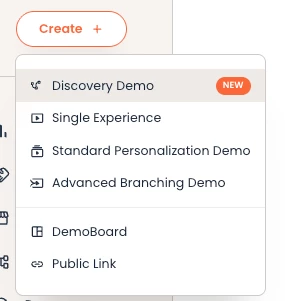
Click Create + on the left-hand side and select Discovery Demo.
-
Give your demo a title.
2. Configure Demo Styles
-
In Step 2, you can customize your demo’s appearance, including branding, colors, and button styles.
3. Add an Introductory Video (Optional)
-
In Step 3, you have the option to include an introductory video that plays before the branching begins.
-
Upload or record a new video to serve as the introduction.
4. Build Your Discovery Path
-
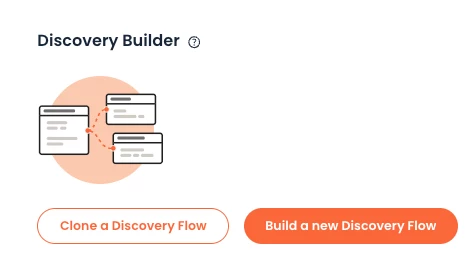
In Step 3, Click Build a new Discovery Demo to access the Discovery Demo Builder.
-
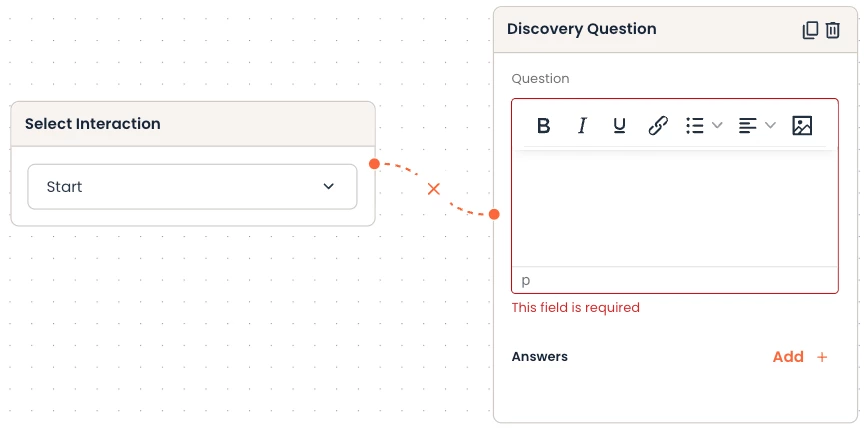
Choose your initial interaction. While you can start with a Discovery Question, starting with a Start screen is recommended.
-
Drag a Discovery Question onto the canvas and connect it to your starting point.
-
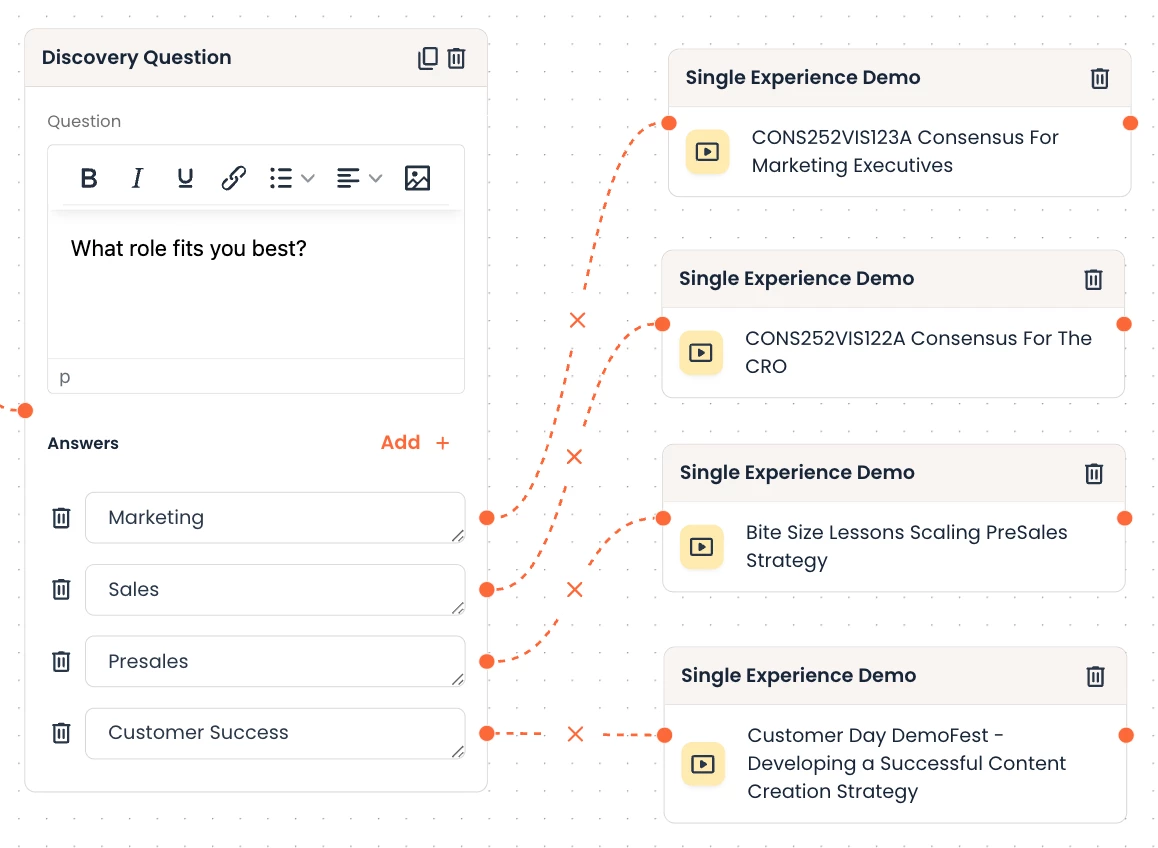
Enter your question (e.g., "What role fits you best?") and list the possible answers (e.g., Marketing, Sales, Presales, Customer Success).
5. Map Answers to Your Demos
-
Locate your target demos in the Demos section on the right-hand side.
-
Drag the relevant demos onto the canvas.
-
Connect each answer from your Discovery Question to the corresponding demo.
-
Multiple answers can be mapped to the same demo if desired.
6. Enable Viewer Re-Entry (Best Practice)
-
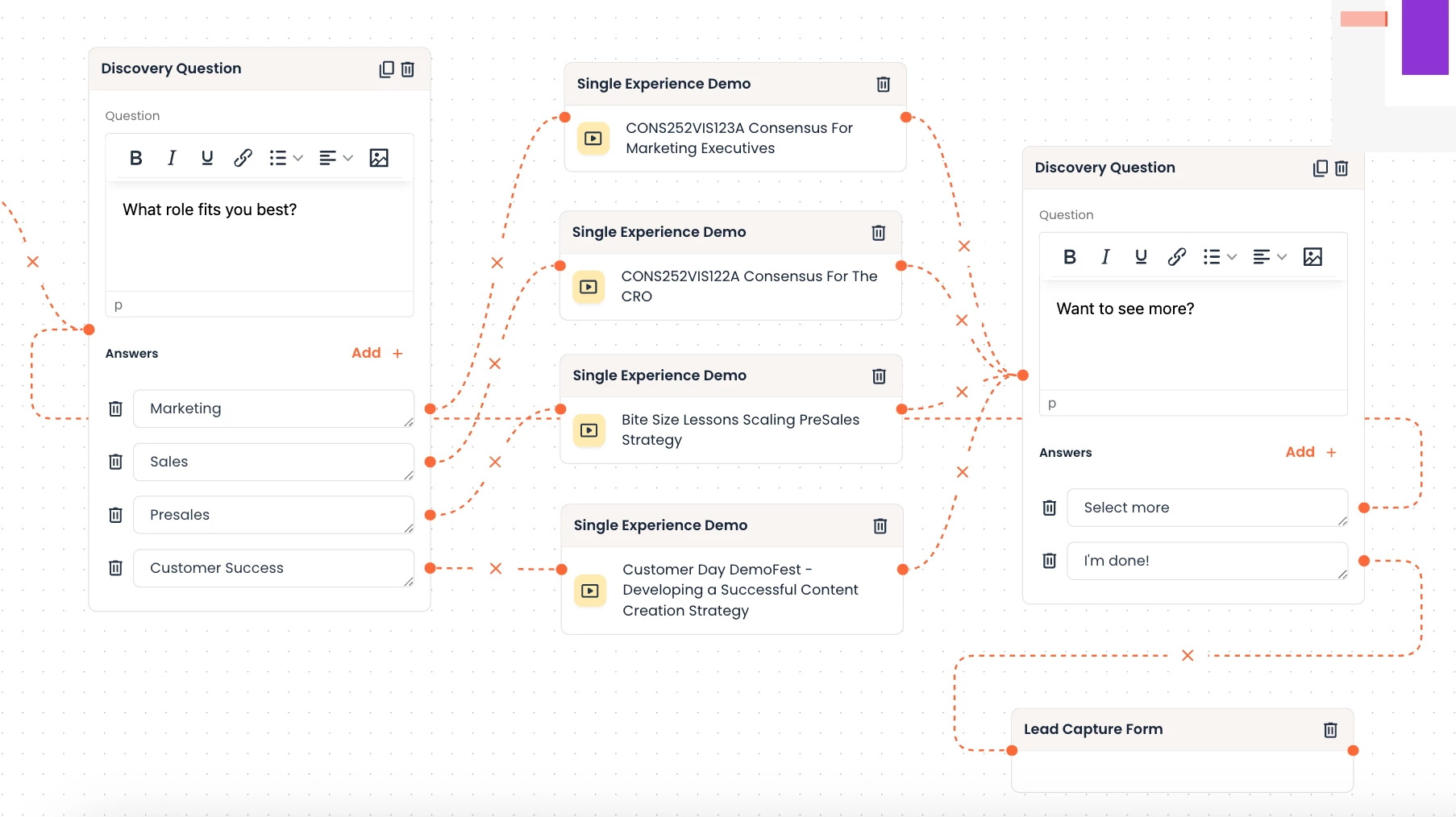
To allow viewers to explore different paths, you can reroute them back to the beginning of the demo.
-
Connect the end of each target demo back to your initial Start interaction.
-
This enables viewers to revisit their selections and explore multiple demo paths.
Benefits of the Discovery Demo Builder
-
More Personalization: Go beyond simple branching with multiple layers of discovery.
-
Greater Flexibility: Easily add secondary questions or guide viewers to dynamic tours.
-
Simplified Maintenance: The intuitive builder makes it easy to update and manage your demos.
By following these steps, you can transition your Advanced Branching Demos to the more powerful and intelligent Discovery Demo Builder, providing an enhanced experience for your viewers.