
How to enable your webcam while recording videos with Consensus Snap
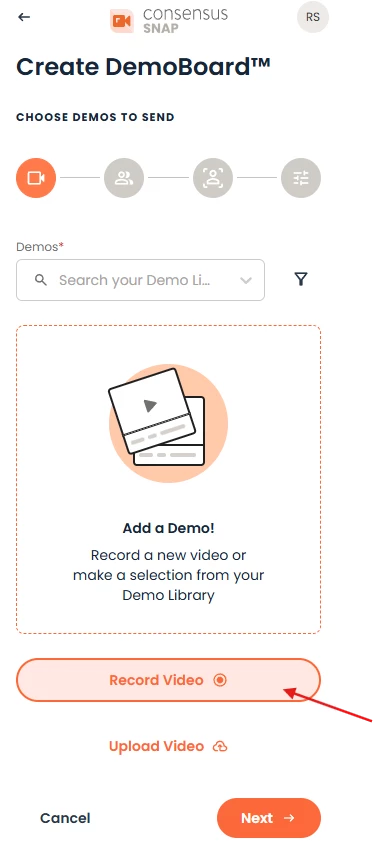
You will need to access your Camera settings. Simply click on the “Create Demoboard” button and then select the option to Start recording.
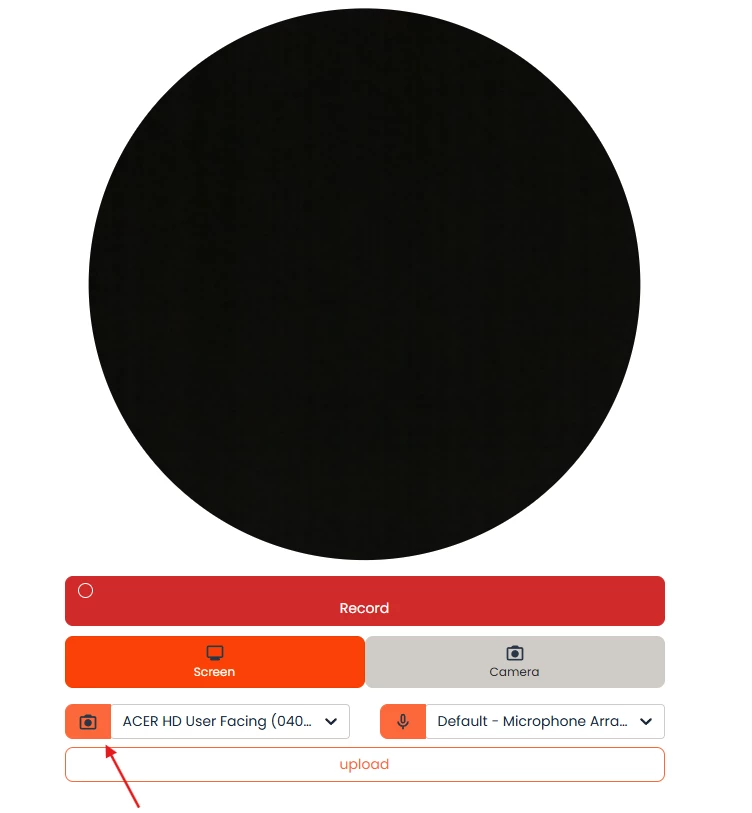
To enable your Webcam while using SNAP you'll click on the Camera Icon and choose which camera should be used. (The camera may be greyed out depending on your browser settings. If that is the case, you will need to approve that Consensus can use your Camera and Microphone):
Once you've finished recording, you'll be able to change the position of your webcam in the editing phase:
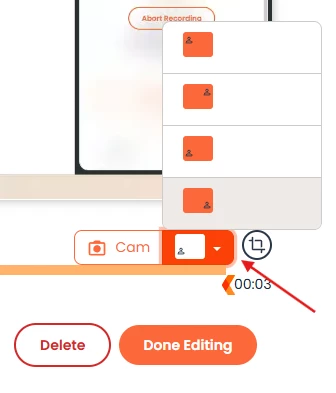
NOTE: Webcam is not visible on screen while recording, but can be adjusted during editing.