
How to pull Viewer Data into your Consensus Public Link Lead Form
Why use Lead data ingestion?
As marketers, you always aim to build and maintain frictionless experiences for your viewers. When you embed Consensus demos on your website, you want to balance two critical goals: capturing viewer identity for attribution while creating a frictionless experience.
Your website visitors may have already identified themselves elsewhere on your site - for example, by submitting a form to download content or access resources. Asking them to fill out another form just to watch your demo creates unnecessary friction and can reduce demo completion rates.
Lead data ingestion helps you both capture viewer data while offering a seamless viewer experience.
By passing known visitor data directly into your Consensus lead form, you can:
- Eliminate or reduce form friction for known visitors while still capturing their demo engagement
- Increase demo views by pre-filling or auto-submitting forms for already-identified prospects
- Create a more personalized experience for visitors that have identified themselves already on your site.
How it works
When you use lead data ingestion, Consensus determines whether to auto-submit the form or autofill the form for the viewer to complete. Here’s how to know if your lead gate would autosubmit for viewers or autofill.
Auto-submit
If all required fields in your Consensus lead form are filled by data from either:
-
The external form on your website, OR
-
Previously stored Consensus cookie data (when and if Cookie tracking is enabled)
Then the form auto-submits in the background and the viewer goes straight into the demo without ever seeing a form.
Autofill
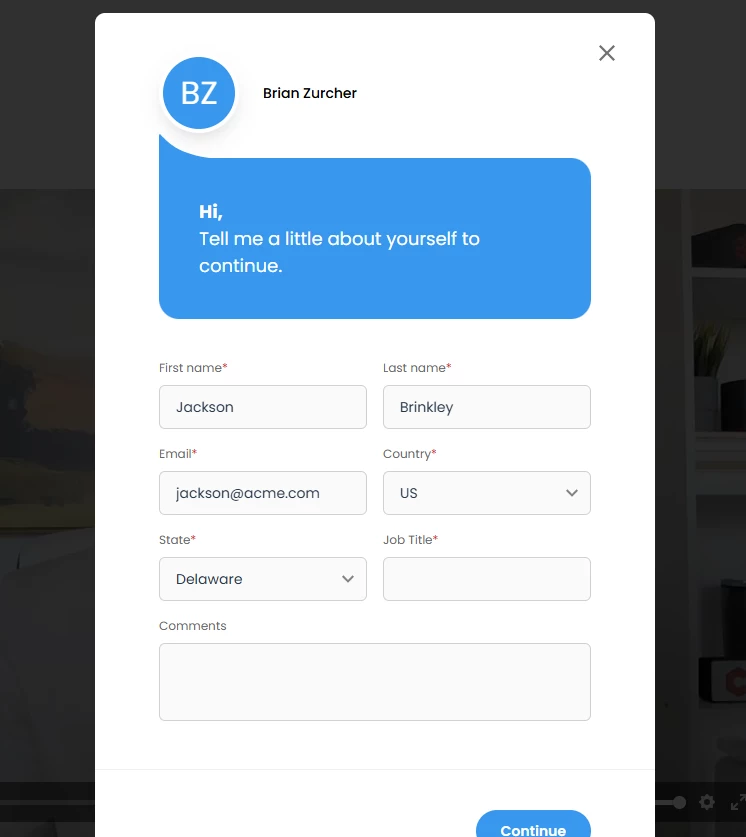
If any required fields are missing from both the external form data and Consensus cookie data, the form will appear with available fields pre-populated. The viewer simply completes the remaining required fields and submits to continue.
Building a complete Viewer Profile over time
Consensus combines data from multiple sources to create the most complete viewer profile possible:
- Data passed through the snippet on the current page
- Data from multiple forms used on the same page - If your page contains several forms (e.g., a newsletter signup, content download form, and contact form), the snippet can ingest data from all forms a viewer has filled out on that page
- Previously submitted lead form data when Cookie tracking is enabled for your account
- Data from past interactions with other demos
Important: This data accumulates over time. If a viewer fills out different forms across multiple visits to your site, Consensus combines all the information it has collected. This means a viewer might complete a form on their second visit, but Consensus can still auto-submit your lead form by using data collected during their first visit.
Common use cases
Post-Form Demo Pages - Auto-submitted form
A prospect downloads your whitepaper and fills out a form that captures all the required lead form fields for your demo. When they're directed to your demo page, the snippet passes this data to Consensus, which auto-submits the form. The viewer goes straight into the demo without seeing any form.
Post-Form Demo Pages - Partial Autofill
A prospect fills out a short form to access a resource (email and company only). Your Consensus lead form also requires their name and job title. When they reach your demo page, the snippet passes their email and company to Consensus. The lead form appears with those fields already filled in, and the viewer only needs to add their name and job title before submitting.
Nurture Campaign Landing Pages - Auto-submit with Cookie Data
An email recipient who previously watched one of your demos clicks through from a personalized campaign. Even if your email landing page doesn't pass data through the snippet, Consensus recognizes them from cookie data (if Cookie tracking is enabled) and auto-submits the form, creating a seamless transition into the demo.
Re-Engagement Campaigns - Autofill for Partial Data
A known prospect returns to your site through retargeting ads and lands on a page with your demo. The snippet passes their email from your marketing automation platform, but your lead form also requires phone number. Consensus pre-fills their email, and they simply add their phone number to continue - still reducing friction compared to a blank form.
Important: The completeness of data from your external form determines the experience. For the most frictionless experience, ensure your external forms capture all the fields marked as required in your Consensus lead form.
Ready to implement this? Here's how Consensus makes it easy to pull in previously submitted form data into your Public Link Lead form.
Create Your Public Link
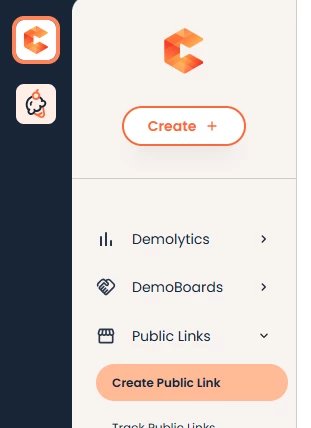
- Navigate to Create Public Link within the left hand navigation
- Select the demo you want to use and fill out the required fields for your Public Link
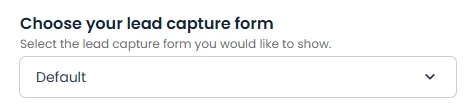
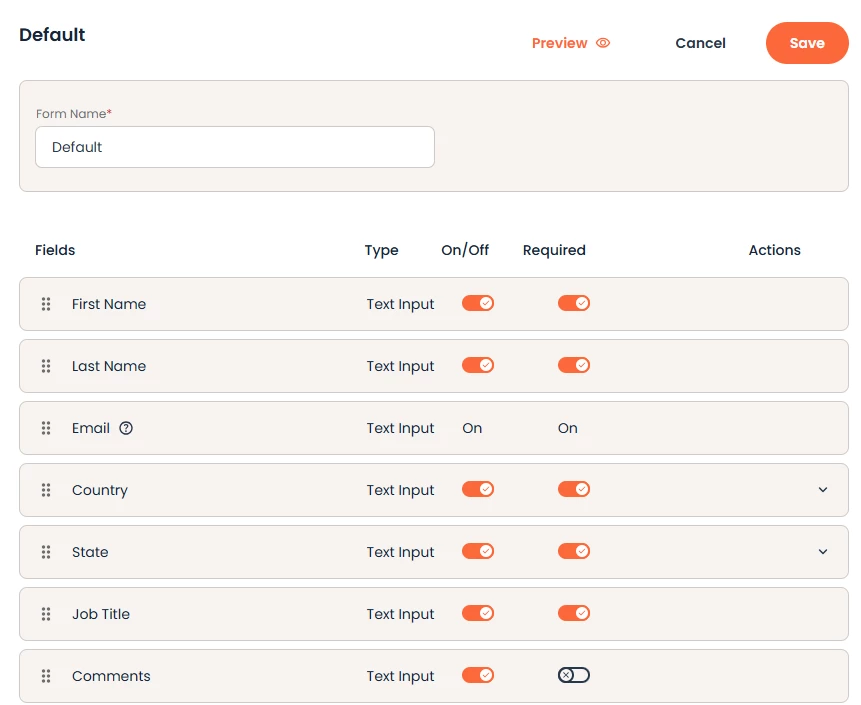
- NOTE* The fields associated with the Lead Capture Form you select will determine the data our system will look for
- Click Create Public Link to generate your Public Link URL and embed code
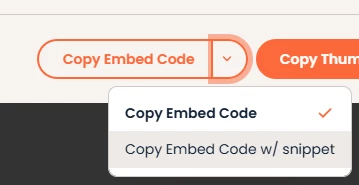
Copy your Embed Code w/ Snippet
- To pass parameters into your Consensus Demo, you will need to select the dropdown for “Copy Embed Code” and select “Copy Embed Code w/ snippet.
Customize Your Snippet Parameters
- Paste the embed code into your notepad, or tool where you can adjust the snippet to help us understand where we are pulling the field data from.
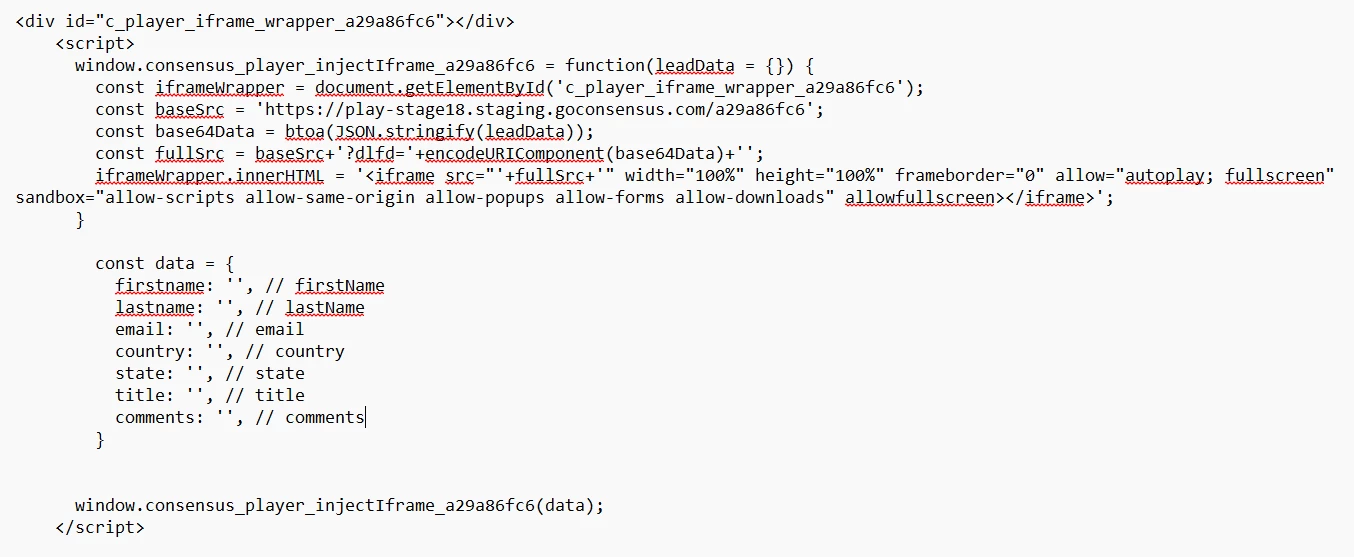
- The lower part of the code is the snippet where you can update where we will be pulling the fields from:
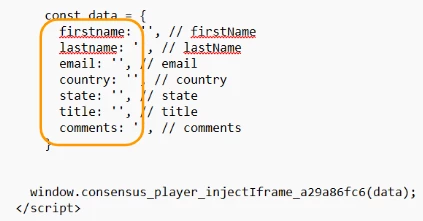
- The highlighted fields should be updated to reflect from where the data will be pushed into the Lead Form such as the data layer
-
- Once updated, you are now ready to add the embed code and snippet to your webpage

Add your Embed Code & Snippet to your Webpage
- Start by pasting the embed code DIV on your webpage where you want the demo to show

- This can be within another div or lightbox, or anywhere you want the demo to show
- The iframe will be applied by the snippet when the data is passed to it
- Now just paste the Snippet Script into your webpage body
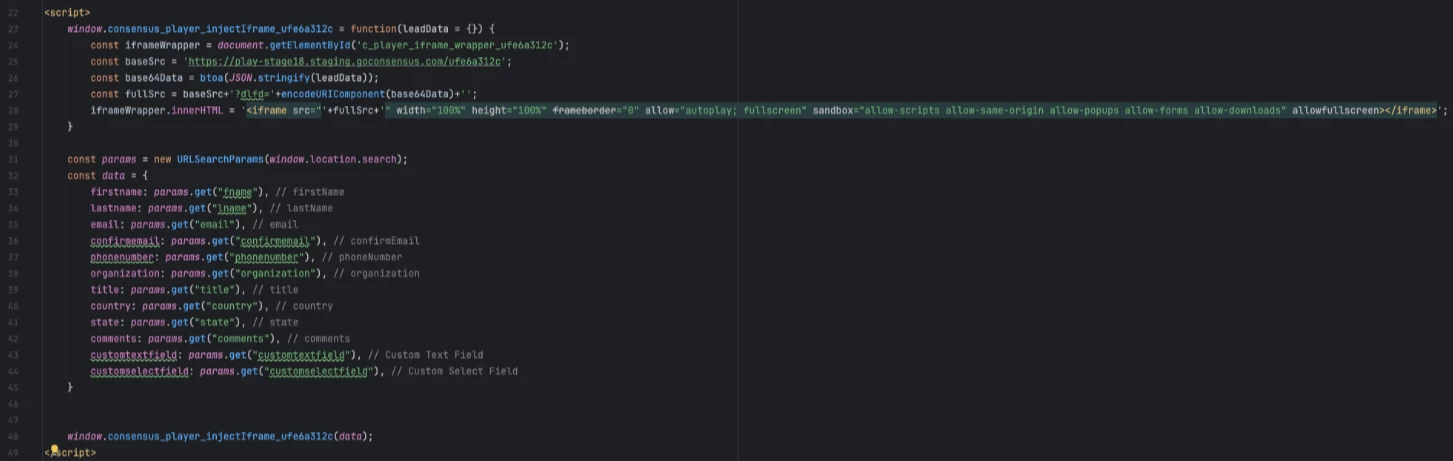
- Ensure the snippet fields have been updated to reflect where the data is pulling from
That’s it! Your demo is now ready to pull in the viewer data from your webpage to automatically fill out the Consensus Lead Capture form.
Field Form Behavior
- If all Required fields are filled out by the data sent into the player by the snippet, the form will automatically submit and the viewer will not see the lead form appear at all. This helps ensure the viewer has a seamless experience but allows you to track their demo engagement to them specifically.
- NOTE* If there are additional fields you want to capture during the demo, those fields will need to be marked as Required.
- If there are remaining required fields, the Consensus Lead Form will automatically fill out any data pulled in from the snippet when presented. The Viewer will simply need to then fill out any additional required fields and then submit to continue the demo.
-
- Consensus can also use cookies to track previously submitted data during demo engagement. This data can be combined with the data collected from the snippet to fill out the lead form.
- NOTE* Data collected from the snippet will override and update the data saved within the cookie for that viewer
- If Consensus cookie data has the viewer's name saved as “Sara”, but the snippet passes over their first name as “Sarah”, then “Sarah” will be used within the Lead Form and the cookie will be updated to “Sarah” to reflect the latest input from the snippet.
- NOTE* Data collected from the snippet will override and update the data saved within the cookie for that viewer